LinkedIn Character Limit: Posts, Headlines & About
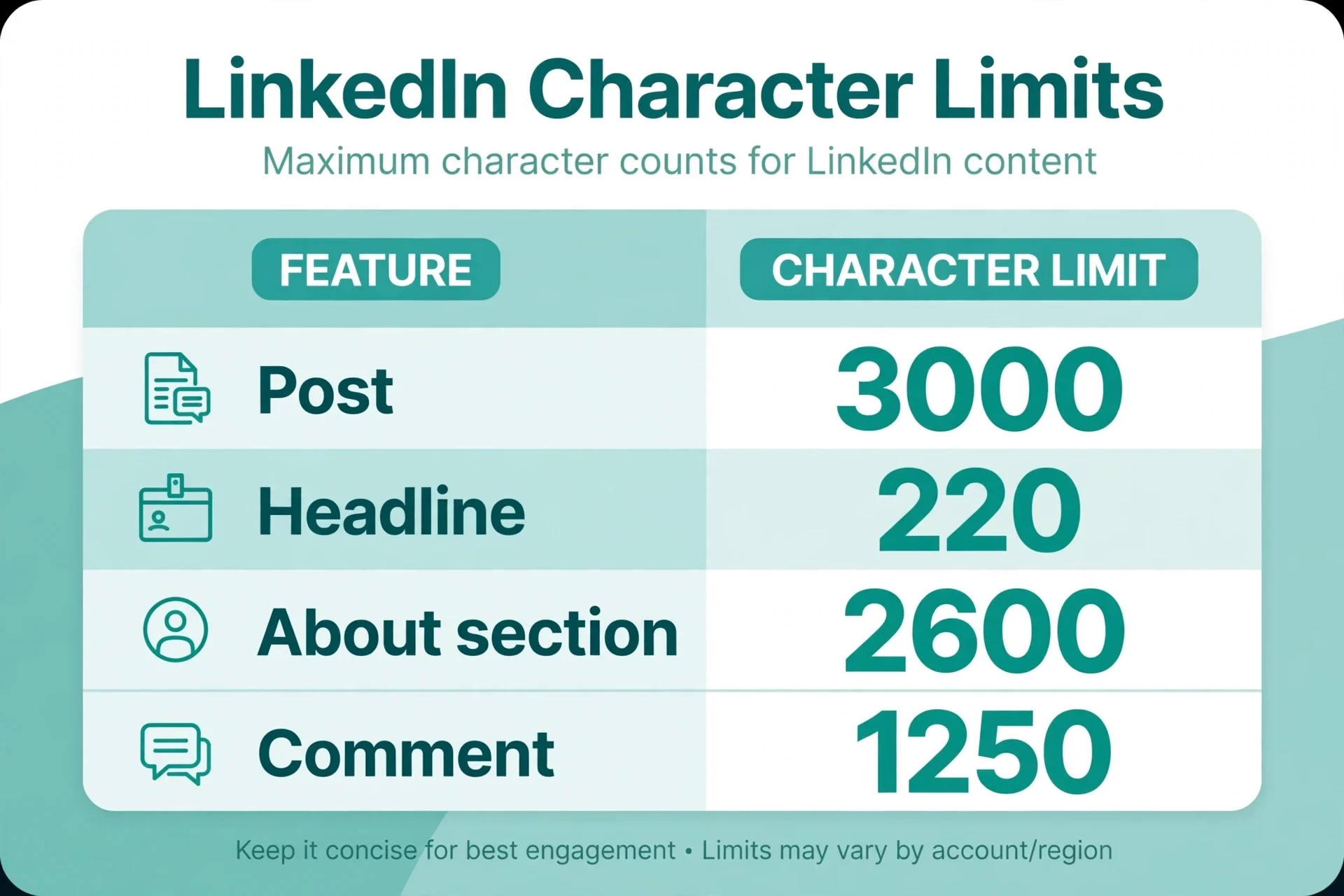
You write a LinkedIn post, it gets cut off mid-sentence, or your headline disappears in search results. The limits are simple once you see them together: 3,000 characters for a post, 220 for a headline, 2,600 for About, and a much smaller preview window that decides whether anyone reads further.
Quick answer
A LinkedIn post can hold 3,000 characters, but only about 210 on desktop and 140 on mobile show before the see more link, so the first two lines do most of the work. Your headline allows 220 characters, though only about 60 to 70 show in search results. The About section allows 2,600 characters, with about 300 visible before its own see more. Comments allow 1,250 characters. When you go over a limit, LinkedIn stops accepting more text in that field, so count before you post, not after.
Every limit in one table
LinkedIn publishes some limits in its help pages and enforces others through the editor without documenting them. The table below separates the two, so you know which numbers are official and which are widely measured but could change without notice.
| Field | Limit | Visible before cutoff |
|---|---|---|
| Post (profile or Page) | 3,000 characters | About 210 desktop, 140 mobile |
| Profile headline | 220 characters | About 60 to 70 in search |
| About section | 2,600 characters | About 300 |
| Comment on a post | 1,250 characters | Full comment usually shows |
| Connection request note | 200 free, 300 Premium | Whole note |
| Direct message | 8,000 characters | Whole message |
| Company Page tagline | 120 characters | Whole tagline |
| Company Page description | 2,000 characters | Opening lines |
Two more figures are worth knowing. Long-form LinkedIn articles allow far more than posts, with guides reporting between 110,000 and 125,000 characters for the article body, so a post that needs more than 3,000 characters belongs in an article, not in a comment chain. InMail, the paid message format, allows a 200-character subject and a body reported as 1,900 characters in LinkedIn's own documentation, with some guides saying 2,000. If a number matters for a paid message, check the counter in the field itself before sending.
Treat every undocumented figure as a working guide rather than a guarantee. LinkedIn has changed these limits before, and the editor's counter in the field you are typing into is the final authority on the day you post.
The see more trap
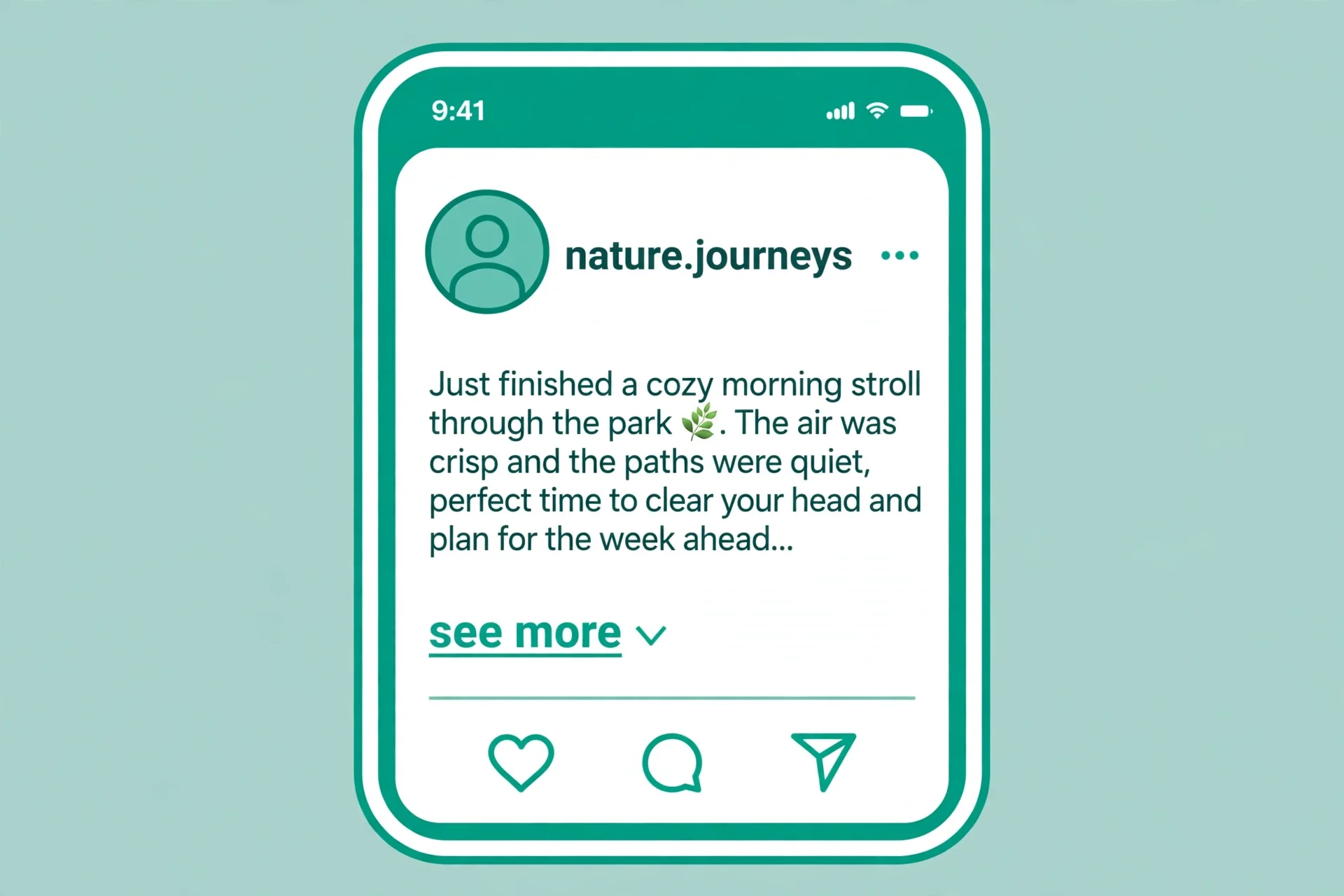
The 3,000-character post limit is a ceiling, not a target, and the see more cutoff is the number that shapes real posts. Roughly 210 characters show on desktop and 140 on mobile before LinkedIn hides the rest behind a link. The cutoff is not one fixed number: it varies with device, window width, and app version, and LinkedIn adjusts it without announcement. The first 140 characters are the only zone that survives on every device, so a post should make sense and earn a click inside those first two lines.
Write the opening as a standalone hook. State the claim, the result, or the question before any background. Background first is the classic LinkedIn mistake: the reader sees a throat-clearing sentence, sees no reason to expand, and scrolls on. Put the payoff first, then the story, then the detail, and the readers who expand will already know why they clicked.
Length after the hook is a judgement call, not a formula. Guides disagree on an ideal post length, and their ranges move from year to year, which tells you the number itself is not the point. A short post works when the idea is one line. A long post works when every paragraph earns its place. What fails is a long post whose first 140 characters promise nothing, because most readers never reach the good part.
Headlines: 220 characters, 65 that show
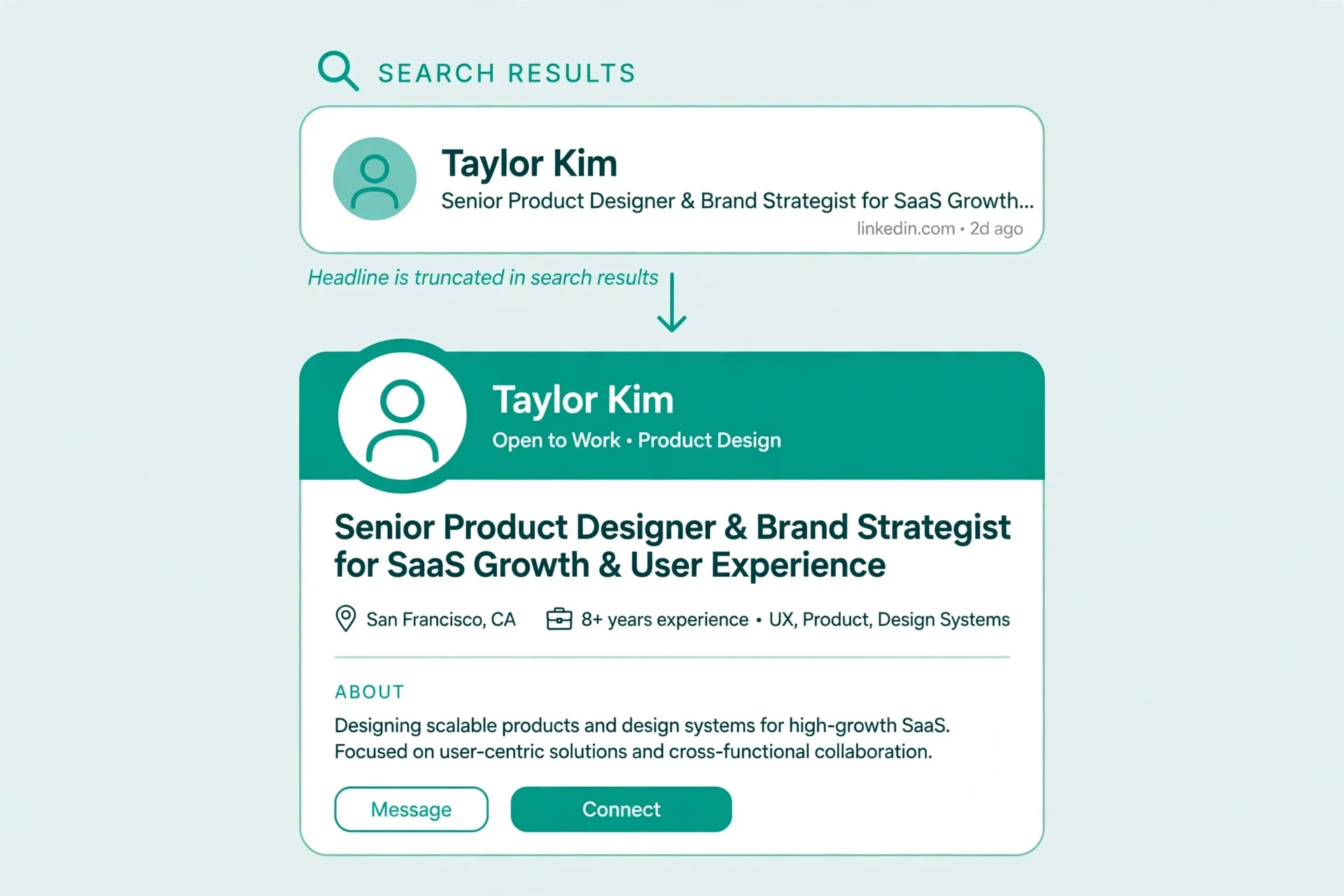
Your headline follows you everywhere on LinkedIn. It appears next to your name in search results, in comments, in connection requests, and on your profile. You have 220 characters, but only about 60 to 70 show in search results and connection cards, and even fewer show on small screens. Front-load the first 60 characters with the words a searcher would use to find you.
A proven pattern is role, then who you help, then how. "Accountant helping small firms close the month without chaos" says more in 60 characters than a job title alone, and it survives truncation. A headline that starts with a company name and ends with the value proposition loses the value part exactly where it matters, because the cut happens before it.
Do not waste the headline on a job title you already show in your experience section. The headline is the one line that travels, so spend it on the outcome you deliver, not on a label the reader will see again one scroll later.
About section: 2,600 characters
The About section allows 2,600 characters, with about 300 visible before its own see more link. That makes it a short sales page, not a resume. Open with your strongest claim in the first 300 characters, written so it stands alone, because many visitors never expand it.
Structure the rest in short blocks a skimmer can follow. Who you help, what changes for them, proof in one or two lines, and how to contact you. A wall of text in About gets skipped even by interested readers, while four clear blocks get read. End with a contact step, because a reader who reaches the end of About is already warm and should not have to hunt for what to do next.
One caution applies to About more than to posts. About is indexed and searched, so keywords belong there naturally, but stuffing it with keyword lists reads badly and helps nobody. Write it for a human who is deciding whether to connect, and the keywords will take care of themselves inside real sentences.
What counts toward the limit
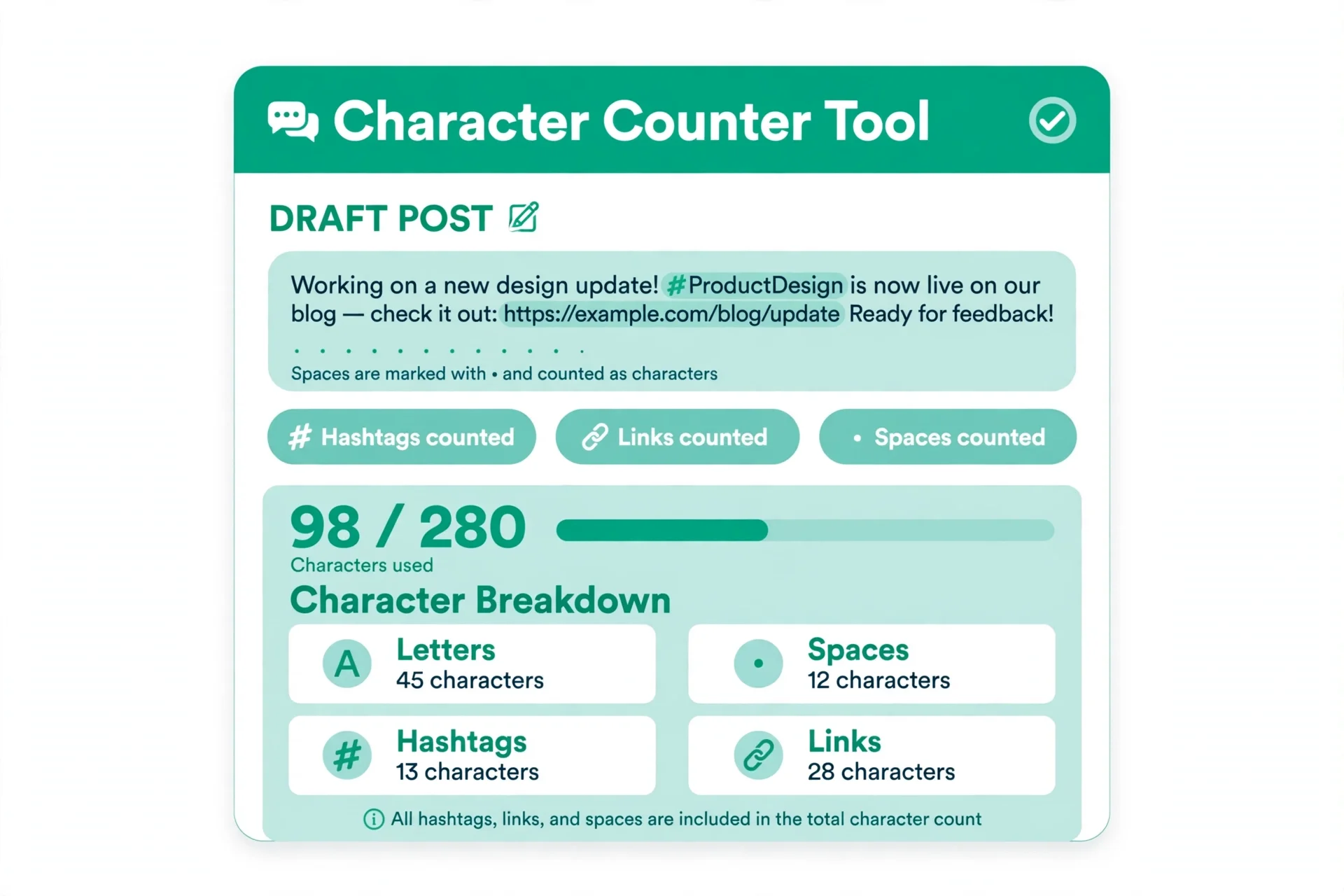
Characters, not words, are the unit. Spaces count, line breaks count, hashtags count, mentions count, and links count as their full text length. A 3,000-character post is roughly 400 to 600 words depending on word length, which is why word counts mislead: two posts of 500 words can differ by hundreds of characters once links and line breaks are included.
Emojis count too, and some formatted characters can count as more than one unit in the underlying counting, so a post full of styled letters can hit the limit sooner than a plain-text count suggests. The safe habit is to count the exact text you will paste, in a counter, rather than estimating from a word count. LinkedIn's composer does not show a running count in every field, which is exactly why drafts get cut off.
When a draft runs over, the fix order matters. Cut filler first, then cut background the reader does not need, then move supporting detail into the first comment, which allows 1,250 characters of its own. Do not shrink the hook to save space. The hook is the only part every reader sees, so it is the last thing to cut, never the first.
Common mistakes and fixes
Hook buried after background. Fix it by moving the claim or question to the first two lines. Background first loses readers before see more, and no later paragraph recovers them.
Headline starting with a company name. Fix it by front-loading the first 60 characters with role and outcome. Search results cut the rest, so a value proposition at the end is invisible.
About opening with a generic sentence. Fix it by opening with your strongest claim in the first 300 characters, written to stand alone for visitors who never expand.
Counting words instead of characters. Fix it by pasting the exact draft into a character counter. Links, spaces, and line breaks eat the limit in ways word counts hide.
Trimming the hook to fit. Fix it by cutting filler and background first, and moving detail to the first comment. The hook is the last thing to cut, never the first.
Trusting an old limit from memory. Fix it by checking the counter in the field itself on posting day. LinkedIn has changed limits before, and undocumented figures move without notice.
Frequently asked questions
What is the LinkedIn character limit for a post?
A LinkedIn post can hold 3,000 characters, including spaces, line breaks, hashtags, mentions, and links. Only about 210 characters show on desktop and 140 on mobile before the see more link, so the opening lines matter most.
How many characters can a LinkedIn headline be?
A headline allows 220 characters, but only about 60 to 70 show in search results and connection cards. Front-load the first 60 characters with your role and the outcome you deliver.
How long can the LinkedIn About section be?
The About section allows 2,600 characters, with about 300 visible before its see more link. Open with your strongest claim in the first 300 characters, written so it stands alone.
What happens when you go over the LinkedIn character limit?
LinkedIn stops accepting more text in that field, so the extra text is cut off or cannot be typed at all. Count the exact draft in a character counter before posting, since the composer does not always show a running count.
Do hashtags and links count toward the LinkedIn limit?
Yes. Hashtags, mentions, links, spaces, and line breaks all count as characters. A post of 500 words can differ by hundreds of characters once links and breaks are included, so count characters, not words.
Is the LinkedIn limit the same for company Pages?
Yes for posts: Page posts use the same 3,000-character limit as personal posts. Page fields differ elsewhere, with a 120-character tagline and a 2,000-character Page description.
Try the free counter
Write the hook first, inside 140 characters, so it survives on every device. Then write the post to its real length, front-load the headline's first 60 characters, and open About with a claim that stands alone in 300 characters. Count each field before you post, not after.
When you are ready, open the free Character Counter, paste the exact draft, and check characters with and without spaces before you post it. A draft that fits in the counter fits in the field.
How we tested this: we checked the limits against several published LinkedIn limit guides found during research, keeping only figures that multiple guides agreed on in the main table, and flagging the figures that guides disagreed on, such as the article body and InMail body, as ranges rather than facts. We also read the Character Counter tool page on this site to confirm it counts characters with and without spaces. LinkedIn changes limits without notice, so the counter in the field itself is the final check.
Privacy note: the Character Counter on this site needs no account and no signup. Text you paste to count is processed in your browser, so a draft post is not sent to a server to be counted.
Last updated: November 5, 2026